

How it works
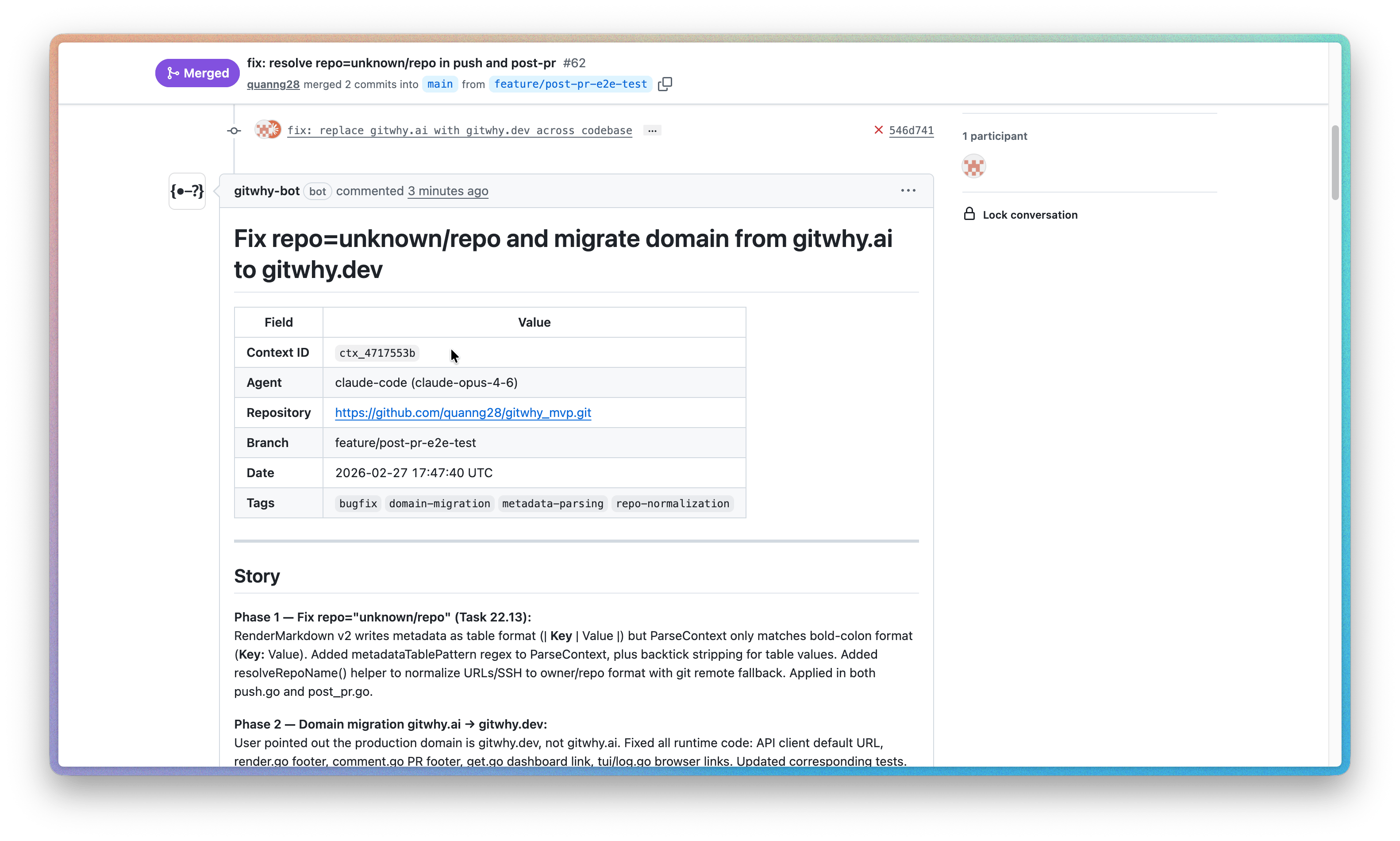
When you push contexts to GitWhy cloud, gitwhy-bot posts a structured comment on any open PR containing the linked commits. Reviewers see:- The prompt that started the work
- What was done
- Reasoning and key decisions (in a collapsible section)
- Files changed and commits
- Link to the full context on the dashboard
Post context to a PR
- CLI
- MCP
--pr or --branch is specified, GitWhy auto-detects the PR by scanning open PRs and matching them against branches in your saved contexts.The bot edits its own comment when new contexts are posted — no duplicate comments.See the CLI reference for all flags and output details.Requirements
- Install gitwhy-bot — the GitHub App that posts comments on your PRs.
- Activate the repo — sync any context with
git why pushto activate the repo. This only needs to happen once per repo.
git why post-pr works for any context in that repo.
You can manage active repos at Repositories. The dashboard warns you if the GitHub App is not installed for a repo.
See also
- GitHub App setup — install gitwhy-bot
- Team Sync — share contexts with your team