

What it does
The GitWhy GitHub App (gitwhy-bot) posts structured context comments on pull requests matching the commits in your saved contexts. Reviewers see the reasoning behind AI-generated code directly on the PR — no extra steps.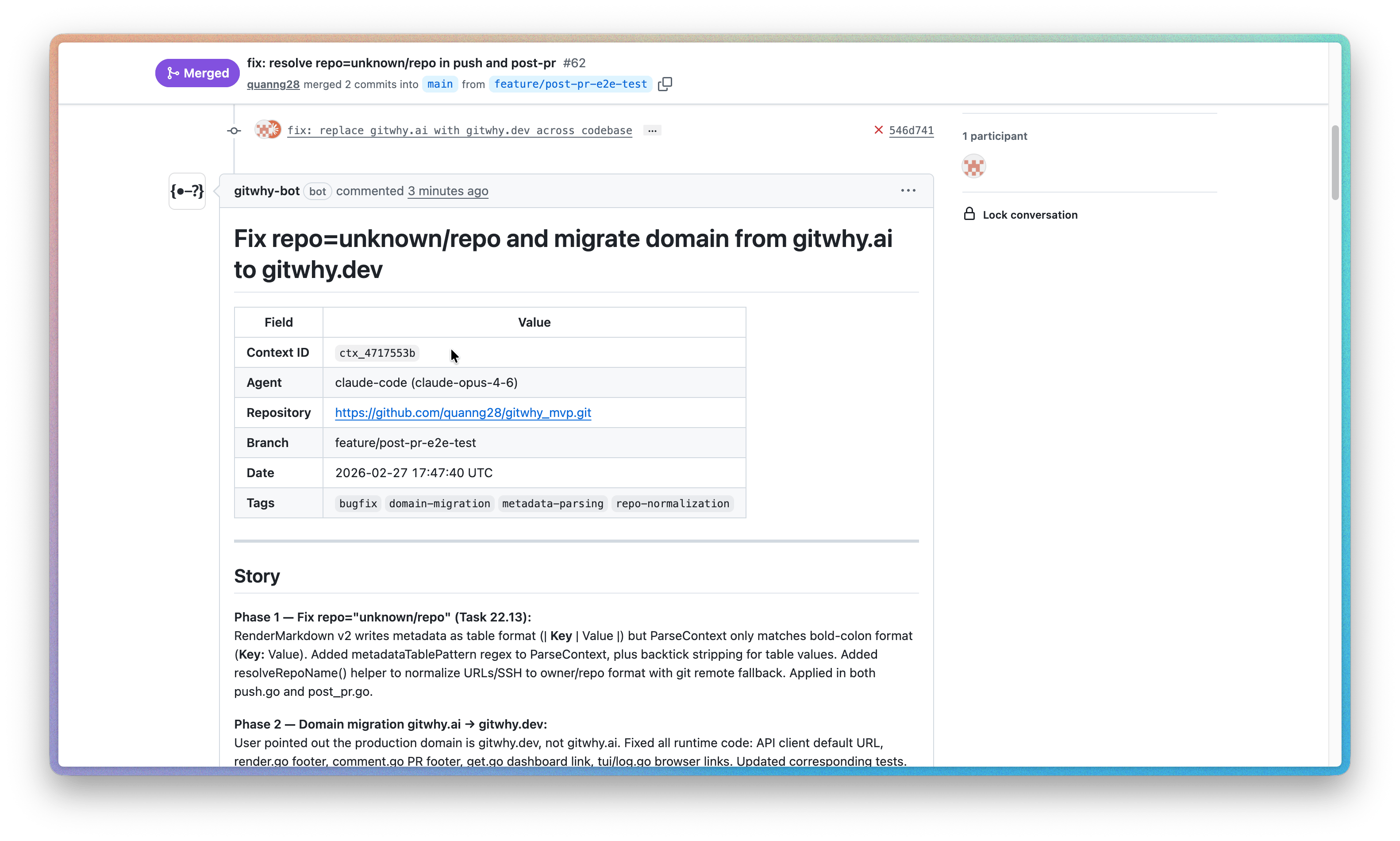
Install the GitHub App
1
Visit the GitHub App page
Go to github.com/apps/gitwhy-bot and click Install.
2
Select repositories
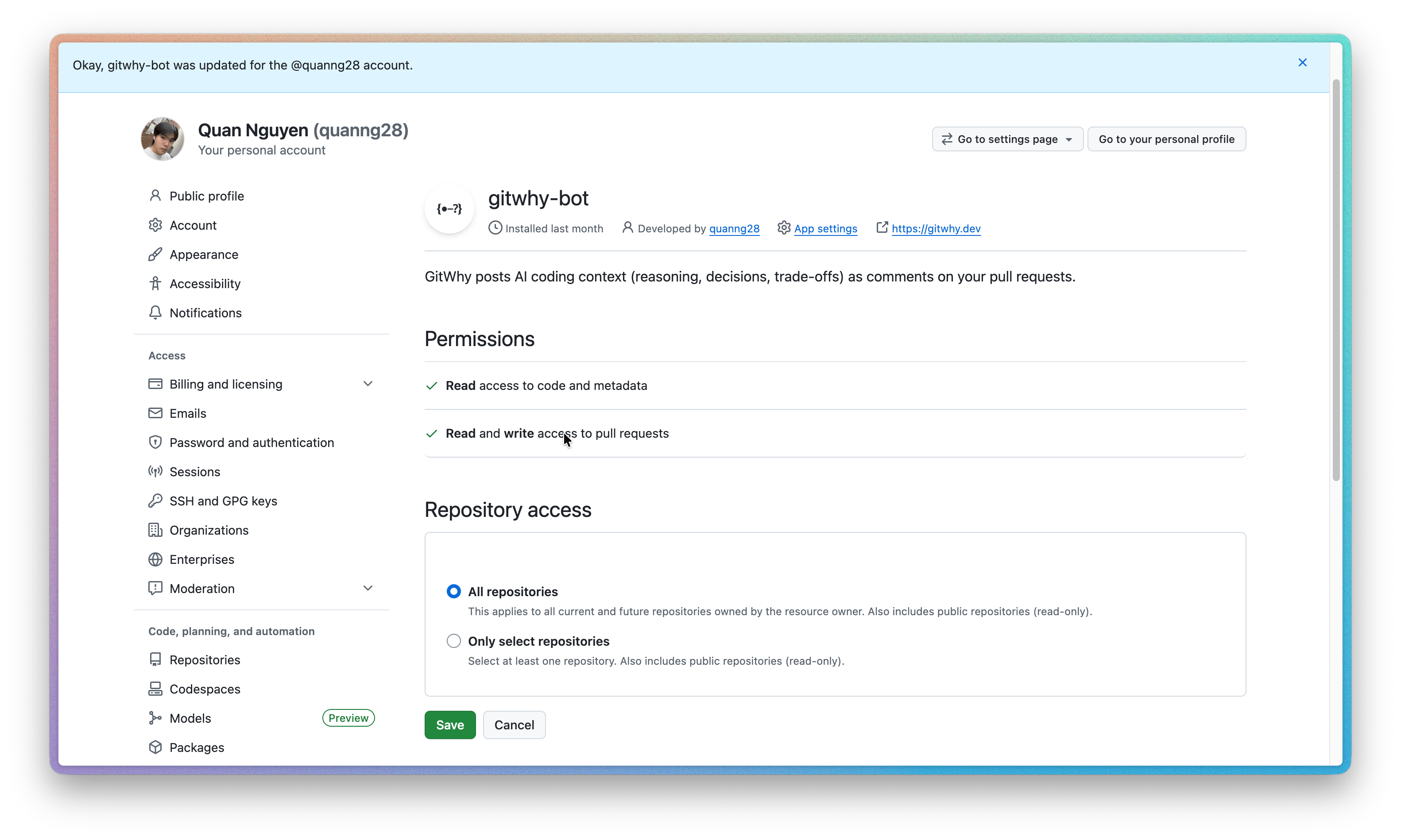
Choose All repositories or select specific repos where you want context posted to PRs.
3
Authorize
GitWhy only needs read/write access to pull request comments. No code access is required.
How updates work
When new commits are pushed to the PR branch, gitwhy-bot edits its existing comment with updated context. No duplicate comments are created.Permissions & access
GitWhy does not request code access. The app only reads PR metadata and writes comments.
Troubleshooting
Bot didn't post a comment
Bot didn't post a comment
- Verify the GitHub App is installed on the repository: check Settings → Integrations → GitHub Apps on GitHub.
- Make sure you’ve synced the context to cloud first (
git why pushorgitwhy_sync()). - Check that the saved context’s commits match commits in an open PR.
Comment is truncated
Comment is truncated
Very large contexts are truncated to fit GitHub’s comment size limit. The comment includes a link to the full context on the dashboard.
Bot posted on the wrong PR
Bot posted on the wrong PR
The bot matches by commit SHA. If the same commits appear in multiple PRs, the bot posts on all matching PRs.
I uninstalled and reinstalled the app
I uninstalled and reinstalled the app
Re-installing the app creates a new installation. GitWhy detects this automatically — no action needed on your part.
See also
- PR Comments — how PR context posting works
- Team Sync — share contexts with your team
- Plans & Pricing — connected repo limits per plan