How it works
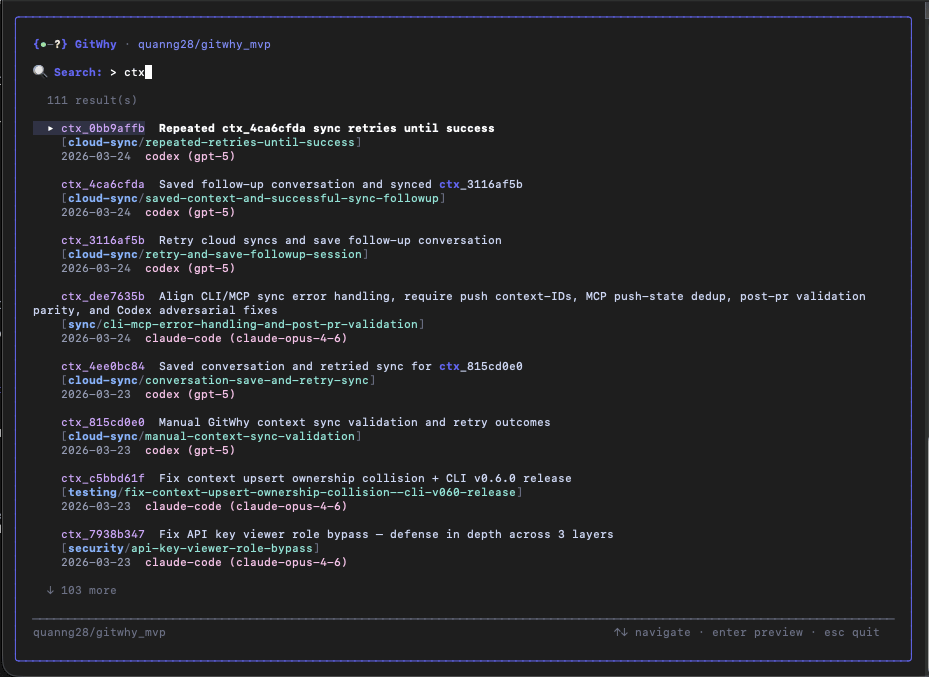
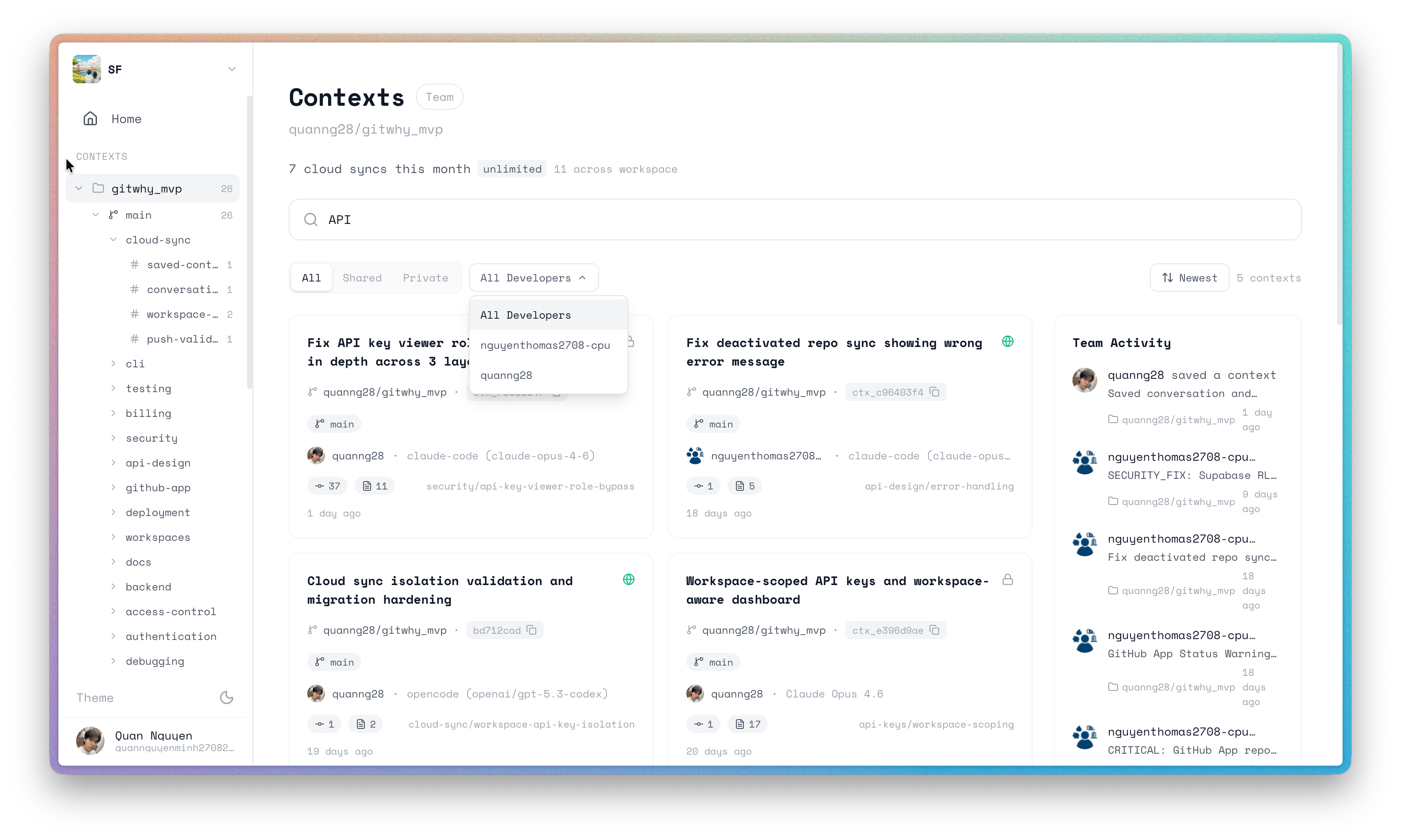
Every saved context is searchable using hybrid full-text search across titles, reasoning, code snippets, file paths, and commit SHAs. Search results are ranked by relevance with field-weighted scoring — title matches rank highest, followed by domain/topic, then body content. Search works across both local contexts (in.git/gitwhy/contexts/) and cloud workspace contexts (synced via git why push), including team-shared contexts. GitWhy also searches visible WhySpec change folders in gitwhy/changes/, with legacy .gitwhy/changes/ still supported during migration. Results are deduplicated and merged.
Search
- CLI
- TUI
- Web Dashboard
- MCP
Examples:
Cloud search
When authenticated, search automatically queries both your local contexts and your cloud workspace. This means:- Your synced contexts are searchable from any machine
- Team-shared contexts (published via
gitwhy_publish) are discoverable - Results are deduplicated by context ID — if the same context exists locally and in the cloud, the cloud version (with richer metadata) is preferred
Retrieve
- CLI
- MCP
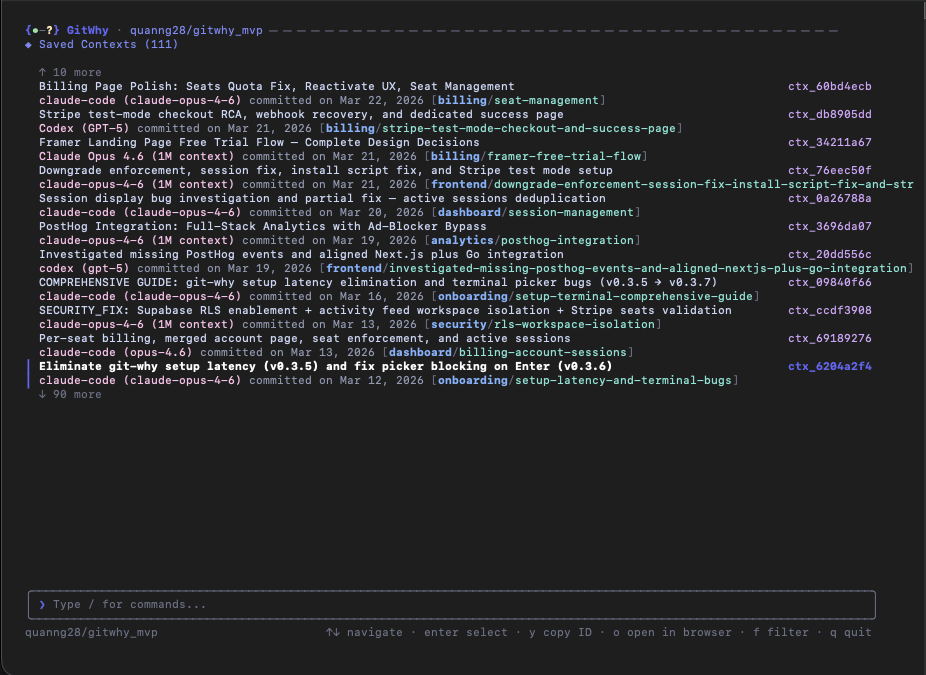
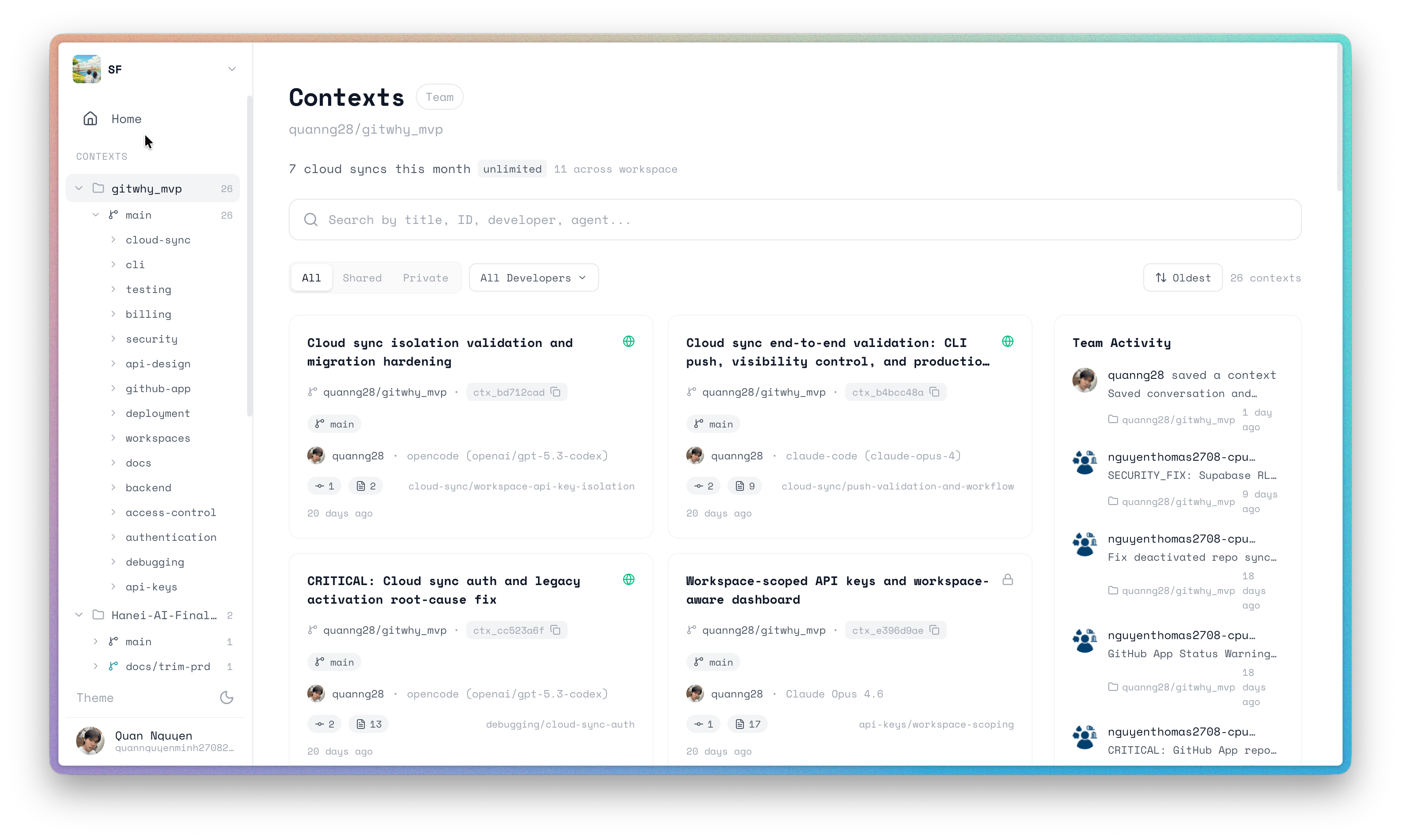
Browse
- CLI
- TUI
- Web Dashboard
- MCP