

Overview
The GitWhy dashboard at app.gitwhy.dev provides a browser-based interface for browsing, searching, and sharing contexts across your team.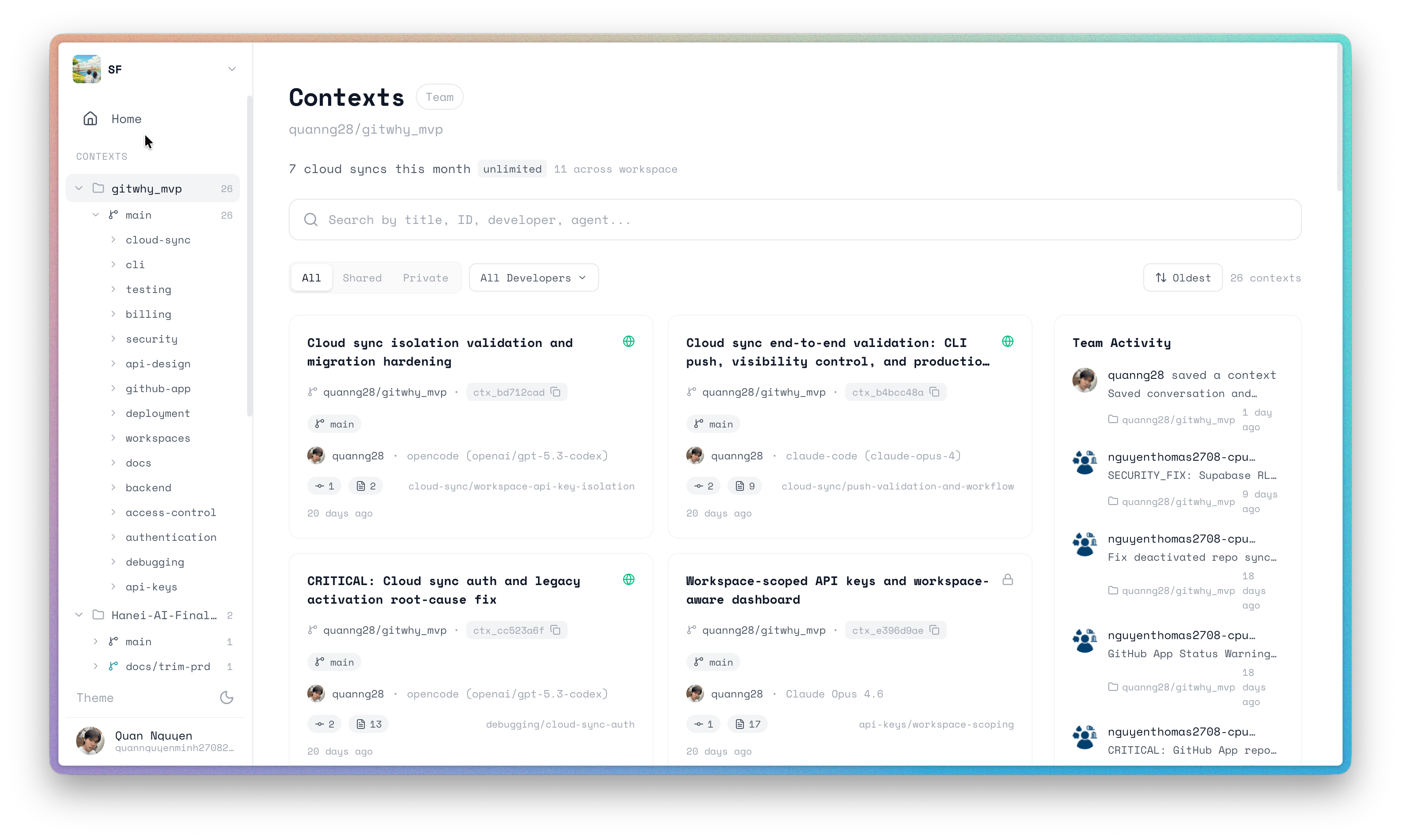
Context detail view
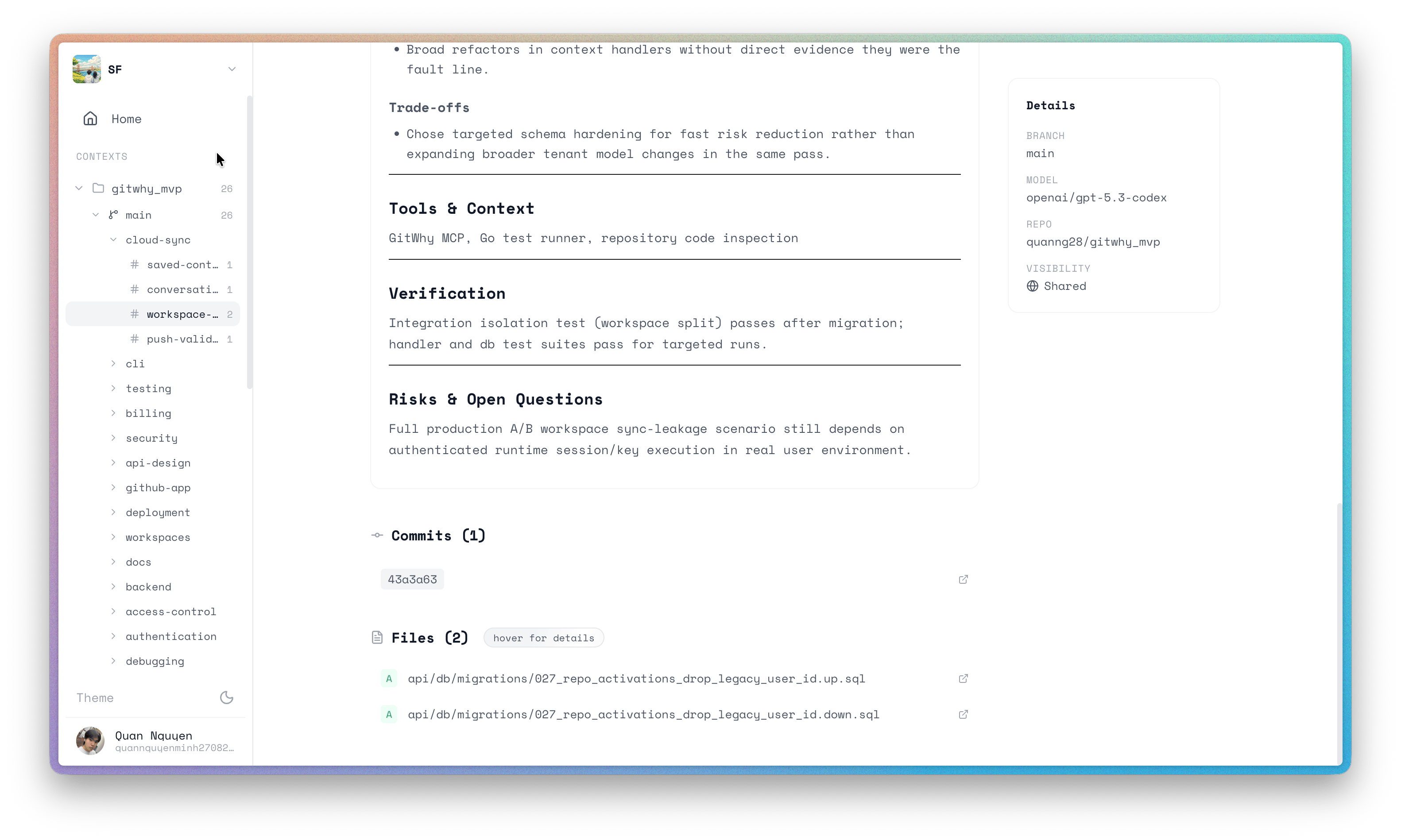
Click any context to see the full structured markdown. Click through to GitHub commits and files referenced in the context.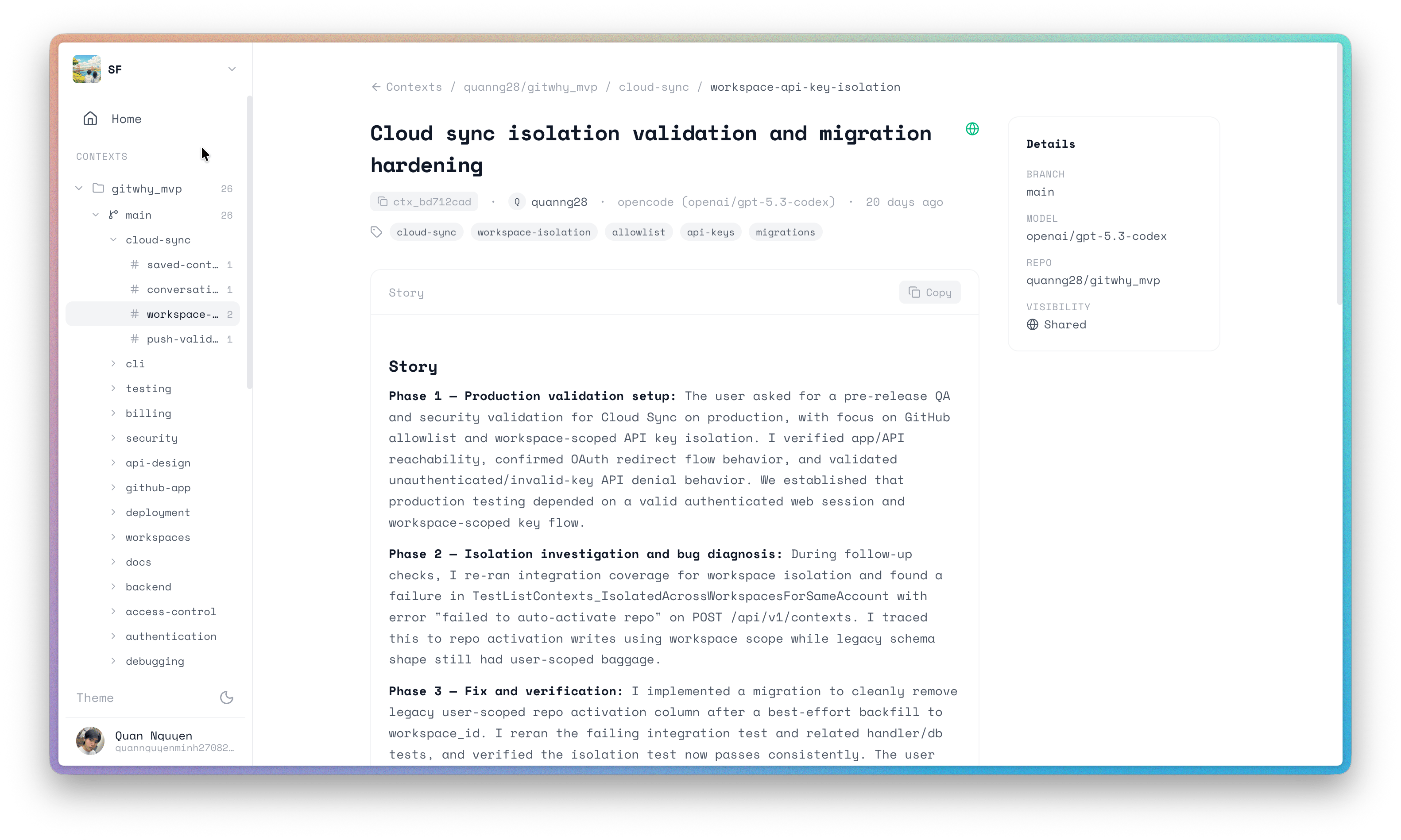
Share contexts
Private contexts show a lock icon. Click Share with Team to make them visible to your workspace.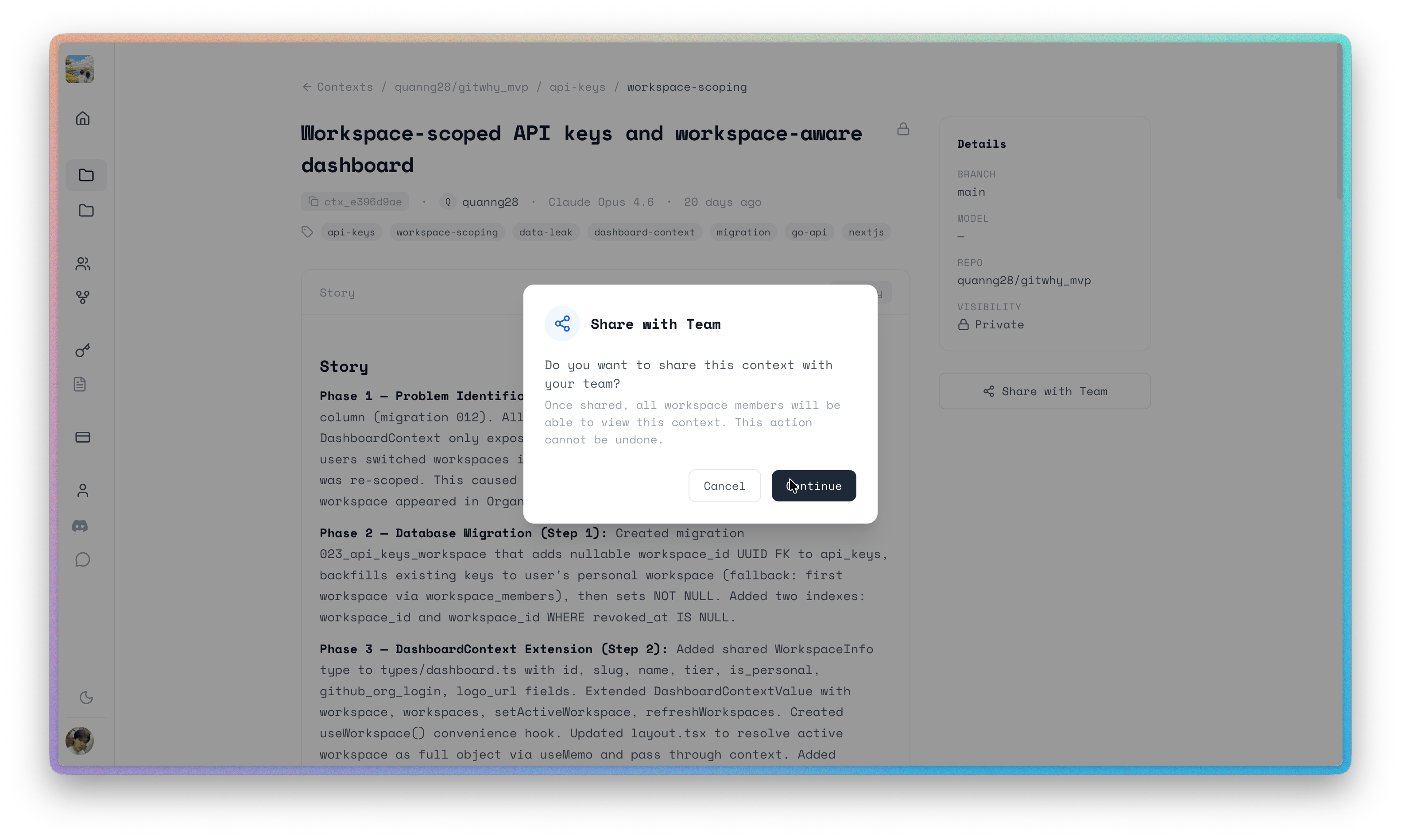
Search
Search across all contexts in your workspace by keyword. Results are filterable by visibility and developer.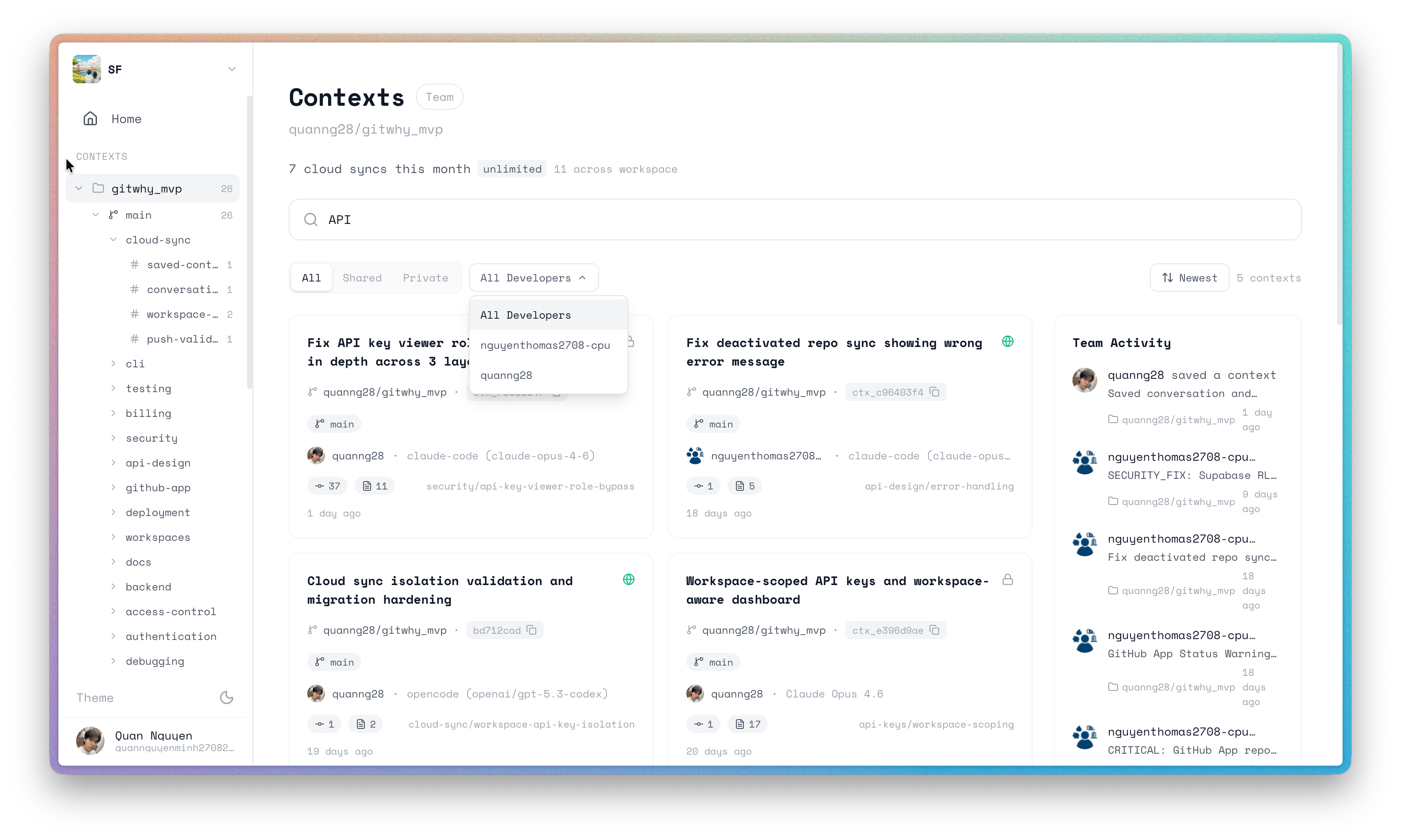
API keys & settings
Manage your API keys, connected repos, and workspace settings from the dashboard settings page.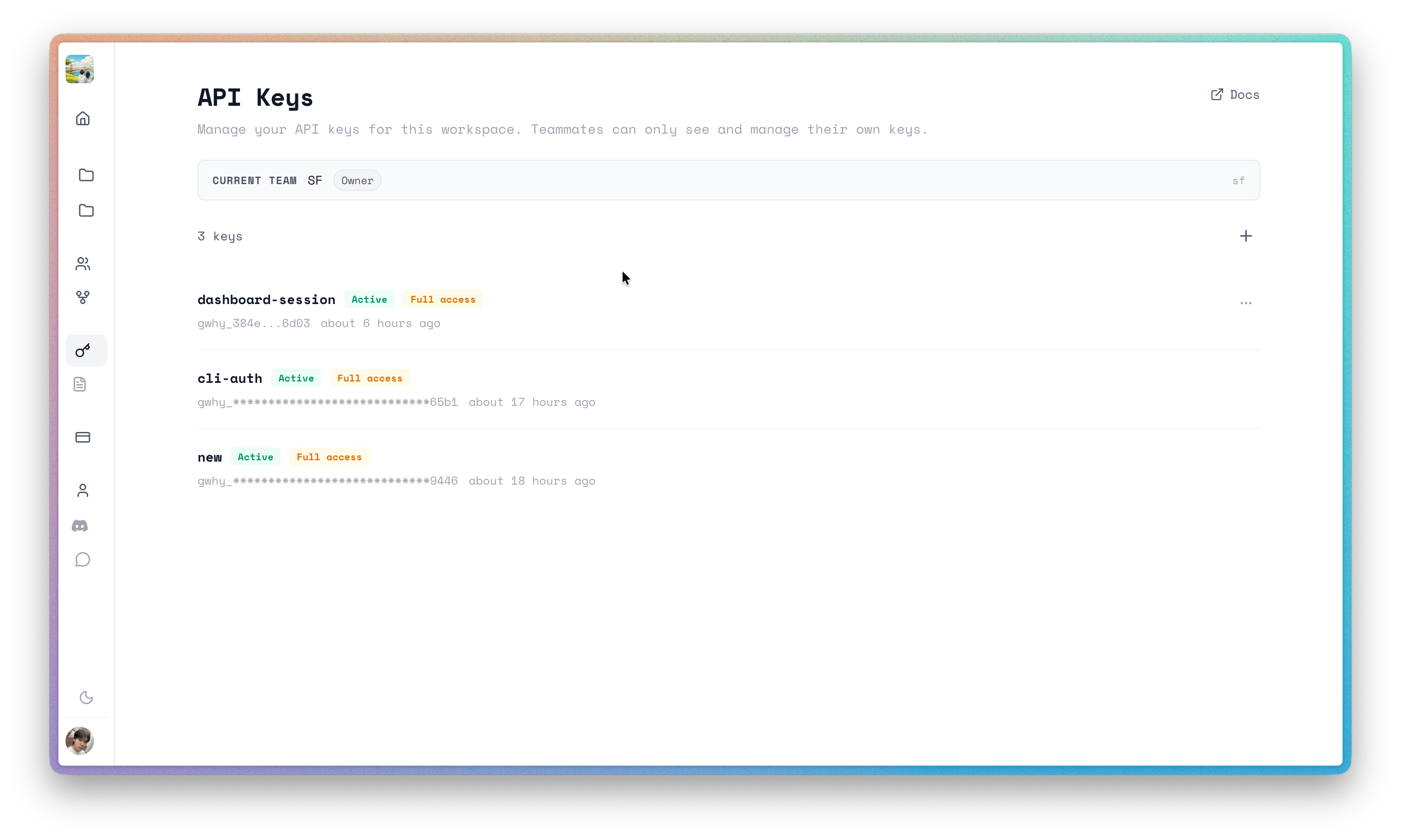
See also
- TUI — terminal-based interface
- MCP Server — agent interface
- Team Sync — share contexts with your team