

Overview
When you rungit why log, tree, or search in a terminal (TTY), GitWhy opens an interactive TUI built with Bubble Tea and Lip Gloss.
Home
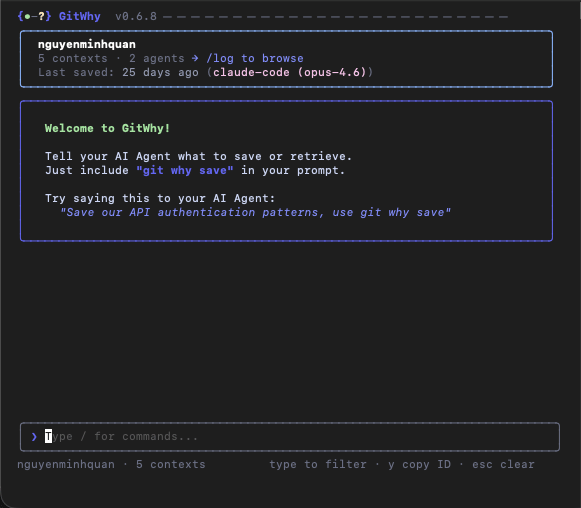
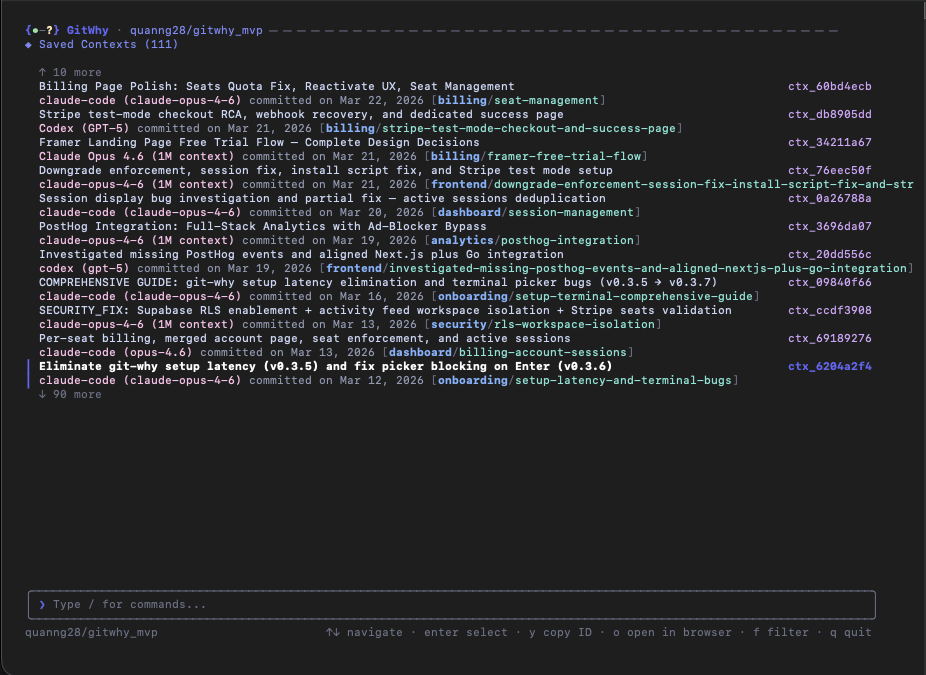
Log view
/log from the TUI home screen.
Lists all saved contexts with navigation. Use arrow keys to browse, Enter to view details.
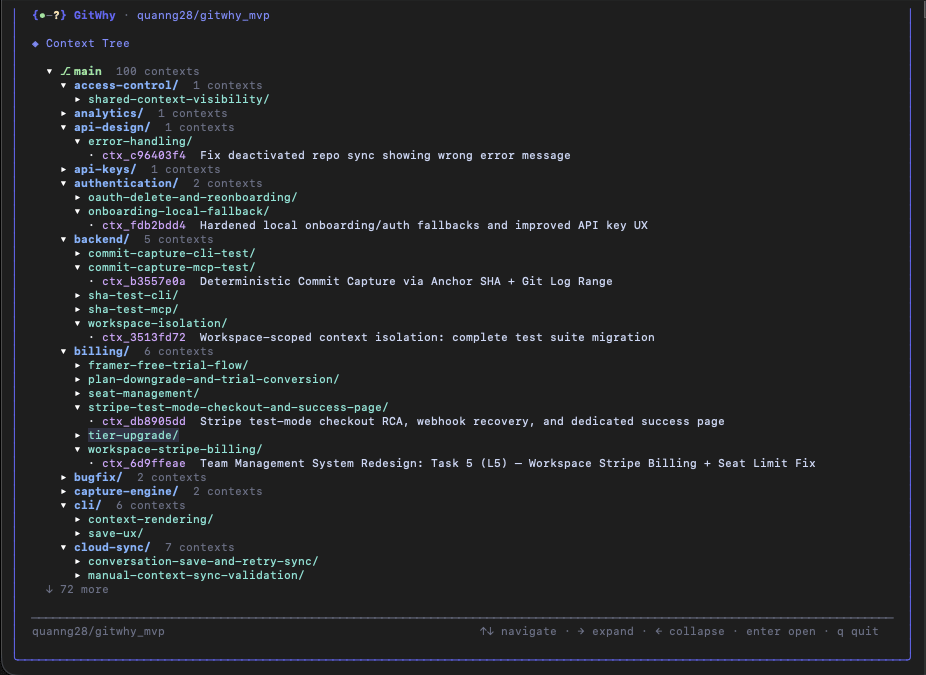
Tree view
/tree from the TUI home screen.
Navigate the domain/topic hierarchy. Expand and collapse domains to explore your context tree.
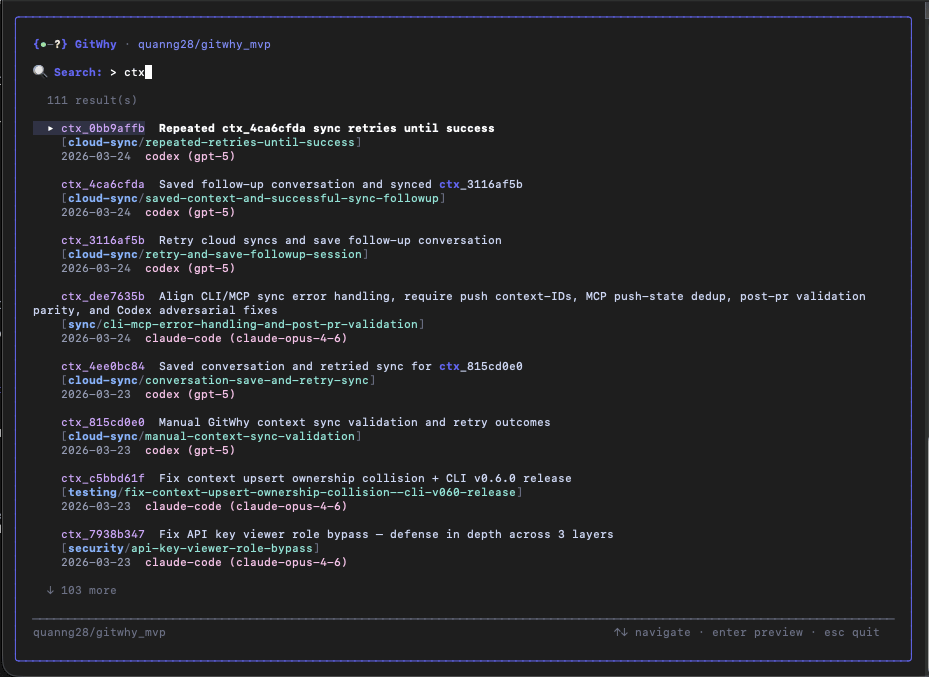
Search view
/search from the TUI home screen.
Interactive search with real-time results as you type.
Context detail
Select any context to see the full structured markdown with syntax highlighting.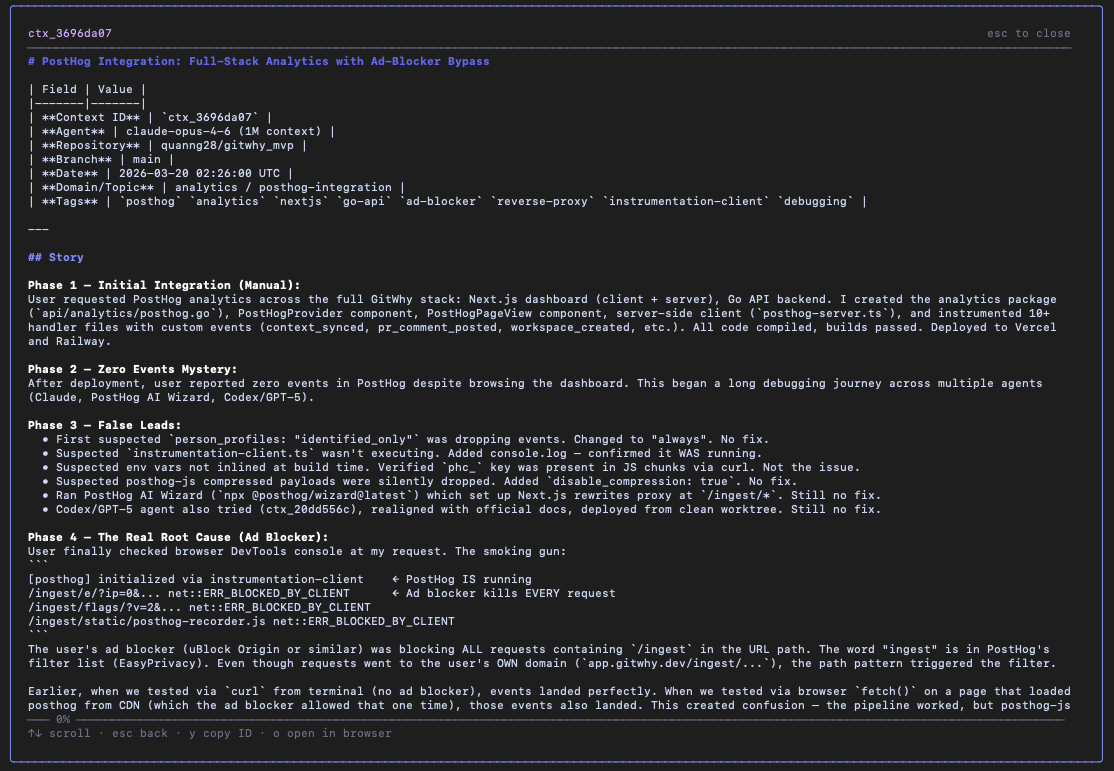
Keyboard shortcuts
Non-interactive mode
When piped or in a non-TTY environment, commands output plain text instead of the TUI:See also
- CLI Reference — full command reference
- Web Dashboard — browser-based interface